Wednesday, May 20, 2020

Discover: A Custom Bash Scripts Used To Perform Pentesting Tasks With Metasploit


About discover: discover is a custom bash scripts used to automate various penetration testing tasks including recon, scanning, parsing, and creating malicious payloads and listeners with Metasploit Framework. For use with Kali Linux, Parrot Security OS and the Penetration Testers Framework (PTF).

About authors:


discover Installation and Updating


About RECON in discover
   Domain

RECON

1. Passive

2. Active
3. Import names into an existing recon-ng workspace
4. Previous menu

   Passive uses ARIN, dnsrecon, goofile, goog-mail, goohost, theHarvester, Metasploit Framework, URLCrazy, Whois, multiple websites, and recon-ng.

   Active uses dnsrecon, WAF00W, traceroute, Whatweb, and recon-ng.
   [*] Acquire API keys for Bing, Builtwith, Fullcontact, GitHub, Google, Hashes, Hunter, SecurityTrails, and Shodan for maximum results with recon-ng and theHarvester.

API key locations:

recon-ng
   show keys
   keys add bing_api <value>

theHarvester
   /opt/theHarvester/api-keys.yaml

   Person: Combines info from multiple websites.

RECON

First name:

Last name:

   Parse salesforce: Gather names and positions into a clean list.

Create a free account at salesforce (https://connect.data.com/login).
Perform a search on your target company > select the company name > see all.
Copy the results into a new file.

Enter the location of your list:

About SCANNING in discover
   Generate target list: Use different tools to create a target list including Angry IP Scanner, arp-scan, netdiscover and nmap pingsweep.

SCANNING

1. Local area network
2. NetBIOS
3. netdiscover
4. Ping sweep
5. Previous menu


   CIDR, List, IP, Range, or URL

Type of scan:

1. External

2. Internal
3. Previous menu

  • External scan will set the nmap source port to 53 and the max-rrt-timeout to 1500ms.
  • Internal scan will set the nmap source port to 88 and the max-rrt-timeout to 500ms.
  • Nmap is used to perform host discovery, port scanning, service enumeration and OS identification.
  • Matching nmap scripts are used for additional enumeration.
  • Addition tools: enum4linux, smbclient, and ike-scan.
  • Matching Metasploit auxiliary modules are also leveraged.

About WEB in discover
   Insecure direct object reference

Using Burp, authenticate to a site, map & Spider, then log out.
Target > Site map > select the URL > right click > Copy URLs in this host.

Paste the results into a new file.


Enter the location of your file:

   Open multiple tabs in Firefox

Open multiple tabs in Firefox with:

1. List

2. Directories from robots.txt.
3. Previous menu

  • Use a list containing IPs and/or URLs.
  • Use wget to pull a domain's robot.txt file, then open all of the directories.

   Nikto

Run multiple instances of Nikto in parallel.

1. List of IPs.
2. List of IP:port.
3. Previous menu

   SSL: Use sslscan and sslyze to check for SSL/TLS certificate issues.

Check for SSL certificate issues.

Enter the location of your list:


About MISC in discover
   Parse XML

Parse XML to CSV.

1. Burp (Base64)

2. Nessus (.nessus)
3. Nexpose (XML 2.0)
4. Nmap
5. Qualys
6. revious menu

   Generate a malicious payload

Malicious Payloads

1. android/meterpreter/reverse_tcp
2. cmd/windows/reverse_powershell
3. java/jsp_shell_reverse_tcp (Linux)
4. java/jsp_shell_reverse_tcp (Windows)
5. linux/x64/meterpreter_reverse_https
6. linux/x64/meterpreter_reverse_tcp
7. linux/x64/shell/reverse_tcp
8. osx/x64/meterpreter_reverse_https
9. osx/x64/meterpreter_reverse_tcp
10. php/meterpreter/reverse_tcp
11. python/meterpreter_reverse_https 12. python/meterpreter_reverse_tcp
13. windows/x64/meterpreter_reverse_https
14. windows/x64/meterpreter_reverse_tcp
15. Previous menu

   Start a Metasploit listener

Metasploit Listeners

1. android/meterpreter/reverse_tcp
2. cmd/windows/reverse_powershell
3. java/jsp_shell_reverse_tcp
4. linux/x64/meterpreter_reverse_https
5. linux/x64/meterpreter_reverse_tcp
6. linux/x64/shell/reverse_tcp
7. osx/x64/meterpreter_reverse_https
8. osx/x64/meterpreter_reverse_tcp
9. php/meterpreter/reverse_tcp
10. python/meterpreter_reverse_https
11. python/meterpreter_reverse_tcp
12. windows/x64/meterpreter_reverse_https
13. windows/x64/meterpreter_reverse_tcp
14. Previous menu


Related posts


  1. Curso De Hacking Etico Gratis
  2. Hacking Smart Tv
  3. Cosas De Hackers
  4. Hacking Tor Funciona
  5. Ingeniería Social. El Arte Del Hacking Personal Pdf

Tuesday, May 19, 2020

Learning Web Pentesting With DVWA Part 1: Installation


In this tutorial series I'm going to walk you through the damn vulnerable web application (DVWA) which is damn vulnerable. Its main goal according to the creators is "to aid security professionals to test thier skills and tools in a legal environment, help web developers better understand the process of securing web applications and to aid both students & teachers to learn about web application security in a controlled class room environment."

I am going to install DVWA in docker so the prerequisite for this tutorial will be an installation of docker (Docker is not the only way to install DVWA but if you have docker already installed then it may be the easiest way to install DVWA).

To install DVWA in docker run your docker deamon if it's not running already and open a terminal or powershell and type:

docker rum --rm -it -p 8080:80 vulnerables/web-dvwa


It will take some time to pull the image from docker hub depending on your internet speed and after it is complete it will start the dvwa application. In the command we have mapped the image instance's port 80 to our hosts port 8080 so we should be able to access the web application from our host at http://localhost:8080

Now open your favorite web browser and go to http://localhost:8080
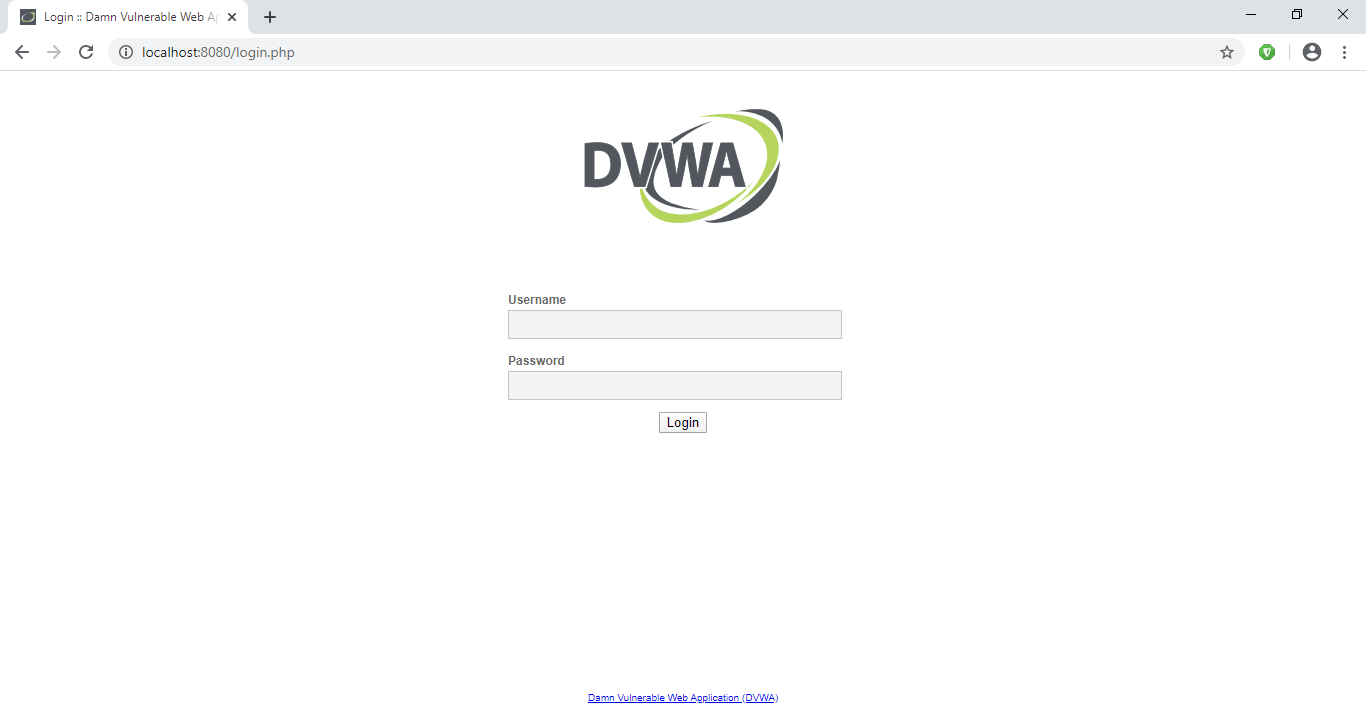
You should be prompted with a login screen like this:


login with these creds:
username: admin
password: password

After login you'll see a database setup page since this is our first run. Click on Create / Reset Database button at the bottom. It will setup database and redirect you to login page. Now login again and you'll see a welcome page.


Now click on DVWA Security link at the bottom of the page navigation and make sure the security level is set to Low. If it is not click on the dropdown, select Low and then click submit.


Now our setup is complete, so lets try a simple SQL attack to get a taste of whats about to come.

Click on SQL Injection in navigation menu.
You'll be presented with a small form which accepts User ID.
Enter a single quote (') in the User ID input field and click Submit.
You'll see an SQL error like this:


From the error message we can determine that the server has a MariaDB database and we can see the point of injection.
Since there are many quotes we are not able to determine the exact location of our injection. Lets add some text after our single quote to see exactly where our injection point is.
Now I am going to enter 'khan in the User ID field and click Submit.


Now we can see exactly where the point of injection is. Determining the point of injection is very important for a successful SQL injection and is sometimes very hard too, though it might not be that much useful here in this exercise.

Now lets try the very basic SQL Injection attack.
In the User ID field enter ' or 1=1-- - and click Submit.


We will explain what is going on here in the next article.


References:-
1. DVWA Official Website: http://www.dvwa.co.uk/
More articles

TorghostNG: Make All Your Internet Traffic Anonymized With Tor Network

About TorghostNG
   TorghostNG is a tool that make all your internet traffic anonymized with Tor network. TorghostNG is rewritten from TorGhost with Python 3.

   TorghostNG was tested on:
  • Kali Linux 2020a
  • Manjaro
  • ...

What's new in TorghostNG 1.2

Before you use TorghostNG
  • For the goodness of Tor network, BitTorrent traffic will be blocked by iptables. Although you can bypass it with some tweaks with your torrent client 😥 It's difficult to completely block all torrent traffic.
  • For security reason, TorghostNG is gonna disable IPv6 to prevent IPv6 leaks (it happened to me lmao).

Screenshots of Torghost (Version 1.0)
   Connecting to Tor exitnode in a specific country: torghostng -id COUNTRY ID

   Changing MAC address: torghostng -m INTERFACE

   Checking IP address: torghostng -c

   Disconnecting from Tor: torghostng -x

   Uninstalling TorghostNG: python3 install.py

Installing TorghostNG
   TorghostNG installer currently supports:
  • GNU/Linux distros that based on Arch Linux
  • GNU/Linux distros that based on Debian/Ubuntu
  • GNU/Linux distros that based on Fedora, CentOS, RHEL, openSUSE
  • Solus OS
  • Void Linux
  • Anh the elder guy: Slackware
  • (Too much package managers for one day :v)

   To install TorghostNG, open your Terminal and enter these commands:
   But with Slackware, you use sudo python3 torghostng.py to run TorghostNG :v

Help
    You can combine multiple choices at the same time, such as:
  • torghostng -s -m INTERFACE: Changing MAC address before connecting
  • torghostng -c -m INTERFACE: Checking IP address and changing MAC address
  • torghostng -s -x: Connecting to Tor anh then stop :v
  • ...
   If you have any questions, you can watch this tutorial videos 🙂
   I hope you will love it 😃

How to update TorghostNG
   Open Terminal and type sudo torghostng -u with sudo to update TorghostNG, but it will download new TorghostNG to /root, because you're running it as root. If you don't like that, you can type git pull -f and sudo python3 install.py.

Notes before you use Tor
   Tor can't help you completely anonymous, just almost:
   It's recommended that you should use NoScript before before surfing the web with Tor. NoScript shall block JavaScript/Java/Flash scripts on websites to make sure they won't reveal your real identify.

And please
  • Don't spam or perform DoS attacks with Tor. It's not effective, you will only make Tor get hated and waste Tor's money.
  • Don't torrent over Tor. If you want to keep anonymous while torrenting, use a no-logs VPN please.
   Bittorrent over Tor isn't a good idea
   Not anonymous: attack reveals BitTorrent users on Tor network

Changes log
   Version 1.2
  • Fixed update_commands and others in torghostng.py
  • Changed a few things in theme.py
  • Changed a few things in install.py
  • Now you can change Tor circuit with -r
   Version 1.1
  • Check your IPv6
  • Change all "TOR" to "Tor"
  • Block BitTorrent traffic
  • Auto disable IPv6 before connecting to Tor

Contact to the coder

To-do lists:
  • Block torrent, for you - Tor network (Done 😃)
  • Connect to IPv6 relays (maybe?)
  • GUI version
  • Fix bug, improve TorghostNG (always)

And finally: You can help me by telling me if you find any bugs or issues. Thank you for using my tool 😊

Related articles


  1. Como Aprender A Ser Hacker
  2. Rfid Hacking
  3. Certificacion Hacking Etico
  4. Hacking Python
  5. Paginas Para Hackear
  6. Hacking Games
  7. Hacking Netflix Account
  8. Hacking Y Forensic Desarrolle Sus Propias Herramientas En Python Pdf
  9. Growth Hacking Definicion
  10. Etica Hacker

Ethical Hacking Platform For Penetration Testing | How To Hack The Invite Code: Join Hack The Box (HTB)

Hack The Box

Hack The Box (HTB) is a free platform available to ethical hackers to do a penetration testing for ethical hacking projects. It consist of different type of challenges that are updated constantly. Some of the challenges related to the real world scenarios and rest of the challenges related to learning towards a CTF style of challenges.
Before joining to HTB, there is a simple task for you to prove your skills after that you'll able to create an account, and then you'll be able to access to your HTB Lab, where several challenges await for you to hack them. That's the beginning step for all of us to joining this. If you got success while hacking then you'll get points.

Task For Joining The HTB

Before joining the HTB, there is a task to hack invite code and paste that code in the code box for further registration to your account. You can complete a simple challenge to prove your skills, if you don't hack that then here is a short video below this content about hacking the invite code. Watch the video and hack the code!


In this Video you'll learn about How to join Hack the box (HTB) in Kali Linux and other Linux Distributions.